
Cloud CRM vs. On-Premise CRM: Which is the Best Option for Your Business?
As businesses increasingly rely on technology to manage their customer relationships, the choice between cloud-based CRM (Customer Relationship Management) solutions and on-premise CRM systems has become a pivotal decision. Each option offers unique advantages and challenges, making it essential for business owners to evaluate their specific needs before making a choice. In this article, we will explore the key differences, benefits, and drawbacks of cloud CRM and on-premise CRM to help you determine the best solution for your business.
Understanding CRM
What is CRM?
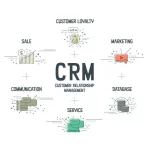
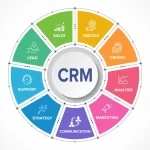
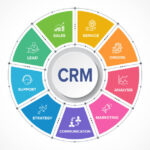
Customer Relationship Management (CRM) software is a crucial tool for businesses of all sizes. It serves as a centralized hub for managing interactions with customers, streamlining processes related to sales, marketing, and customer service. By deploying a CRM system, businesses can improve their relationships, increase customer retention, and ultimately drive more sales.
Types of CRM
- Cloud CRM: This solution is hosted on the service provider’s servers, allowing users to access the system via the internet. It is often referred to as a Software as a Service (SaaS) model.
- On-Premise CRM: In contrast, on-premise CRM is installed locally on a company’s servers. While it requires an upfront investment in hardware and software, it offers greater control over data security and customization.
The Pros and Cons of Cloud CRM
Benefits of Cloud CRM
Lower Upfront Costs: One of the most significant advantages of cloud CRM is its lower initial investment. Businesses typically pay a subscription fee based on the number of users, eliminating high costs for hardware and software licenses.
Scalability: Cloud CRM solutions are designed to grow with your business. Adding new users or features can be done quickly, allowing for enhanced flexibility, especially for companies experiencing rapid growth.
Accessibility and Collaboration: Cloud-based systems can be accessed from various devices anywhere with an internet connection. This feature benefits remote teams and professionals who need constant access to customer information.
Automatic Updates: With cloud CRM, the service provider manages updates and maintenance, ensuring that your software is always running the latest version without requiring IT intervention from your end.
Enhanced Security Measures: While some businesses have concerns about data security in the cloud, reputable CRM providers invest heavily in state-of-the-art security protocols, encryption, and regular backups to protect user data from theft or loss.
Drawbacks of Cloud CRM
Reliance on Internet Connection: Cloud CRM systems require a stable internet connection to function effectively. In areas with poor connectivity, this could lead to disruptions.
Limited Customization: Compared to on-premise solutions, cloud CRMs may offer fewer options for deep customization. Businesses with specific needs may find it challenging to adapt the software to their exact requirements.
Vendor Lock-In: Migrating data from one CRM provider to another can be a complex and time-consuming process, potentially tying businesses to their initial choice for longer than anticipated.
Ongoing Subscription Costs: Although initial costs are low, the recurring monthly or annual subscription fees can accumulate over time, possibly leading to higher overall expenses compared to a one-time purchase model.
The Pros and Cons of On-Premise CRM
Benefits of On-Premise CRM
Complete Control Over Data: With on-premise CRM, businesses have total control over their data, including where it is stored and how it is protected. This is particularly crucial for industries that handle sensitive information.
Customization Flexibility: Companies can extensively tailor their on-premise CRM systems to meet specific internal processes and workflows, providing personalization that can enhance user adoption.
No Dependence on Internet Connectivity: On-premise systems operate without internet reliance, allowing businesses to access their data and carry out operations even in areas with unreliable connections.
One-Time Investment: Although the initial costs can be significant, there are often no ongoing subscription fees, potentially leading to lower long-term costs for larger organizations.
Drawbacks of On-Premise CRM
High Initial Costs: Setting up an on-premise CRM system requires a considerable upfront investment in hardware, software, and IT resources, which can be a barrier for smaller businesses.
Maintenance Responsibility: Organizations must allocate IT personnel to manage and maintain the system, including updates, backups, and troubleshooting, leading to extra burden and costs.
Limited Scalability: Scaling an on-premise solution typically involves additional investments in hardware and software, making it more challenging for rapidly growing businesses to adapt.
Longer Setup Times: Compared to cloud solutions that can be implemented almost instantly, on-premise CRMs often take weeks or even months to fully deploy and optimize.
Key Factors to Consider When Choosing Between Cloud and On-Premise CRM
1. Company Size and Growth Expectations
For small to medium-sized enterprises (SMEs) and startups, cloud CRM solutions often represent the most effective choice, thanks to their lower costs and flexibility. Larger companies, particularly those in regulated industries, may lean toward on-premise solutions to ensure data control.
2. IT Resources and Expertise
Assess your organization’s capability to support an on-premise system. Companies without extensive IT support may find it more manageable to opt for the lower-maintenance cloud option.
3. Customization Needs
If your business requires highly specialized workflows, an on-premise CRM may be the best choice, as it allows for deeper customization. Conversely, businesses that can work within the framework of a cloud CRM may find it sufficient.
4. Data Security and Compliance Requirements
Analyze the sensitivity of your data and any regulatory compliance your industry mandates. On-premise CRM can offer maximum control for sensitive data, while reputable cloud providers invest heavily in security for protected information.
5. Budget Constraints
Be mindful of your organization’s budget. Cloud CRM offers predictable monthly expenses, while on-premise CRMs demand significant initial funding. Weigh these considerations against your financial capabilities.
Real-World Applications: Which Industries Prefer Each Option?
Industries Favoring Cloud CRM
- Small Businesses: Many start-ups and small businesses prefer cloud CRM for its accessibility, scalability, and lower upfront costs.
- E-commerce Companies: The need for real-time access to customer data and collaboration among teams makes cloud CRM an attractive choice for online retailers.
- Remote Teams: Companies with distributed teams and remote employees greatly benefit from the flexibility and real-time data access provided by cloud-based systems.
Industries Favoring On-Premise CRM
- Financial Institutions: Banks and financial firms that manage sensitive customer data often prefer on-premise solutions for enhanced security and compliance.
- Healthcare Providers: Organizations in the healthcare sector utilize on-premise CRMs to maintain strict control over patient data and to adhere to healthcare regulations.
- Government Entities: For governmental institutions, data security and compliance with various regulations typically make on-premise options the better choice.
Conclusion
Ultimately, the decision between cloud CRM and on-premise CRM should align with your business’s specific needs, budget, and growth expectations. Cloud CRM offers flexibility, lower costs, and convenience, making it ideal for many businesses today, especially those in fast-paced industries. On the other hand, on-premise CRM can provide greater control, extensive customization, and a stable environment for organizations with strict data security needs.
Evaluate your organizational requirements carefully, considering all the benefits and drawbacks outlined in this article. By doing so, you will be better positioned to select the CRM solution that propels your business forward in this competitive landscape.
Written by Domingo Hernández